
Raw clips hold untapped potential, but transforming them into polished podcast gold requires skill and precision. Friends Studios specializes in this alchemy, turning unrefined footage from shoots and interviews into captivating content that resonates with audiences. Whether you’re a podcaster launching your first episode or scaling a series, our process elevates your vision https://friendsmediastudios.com/
Capturing the Perfect Raw Footage
Great podcasts start with solid shoots. Friends Studios begins every project by scouting locations that minimize echo—think carpeted rooms or treated studios over bare walls. Use lavalier mics clipped discreetly for crystal-clear audio during interviews, paired with a shotgun mic for ambient control.
Position cameras at eye level to foster natural conversations, capturing multiple angles: wide for context, close-ups for expressions. Record in 4K at 60fps for smooth playback, even if your final output is 1080p. Always slate takes—clap and announce “Take one”—to sync audio-video effortlessly in post.
Lighting sets the mood; soft LED panels from the front avoid harsh shadows on faces. Friends Studios tips: Shoot 10% brighter than needed, as dark clips recover poorly. Backup footage to external drives on-site to safeguard against card failures.
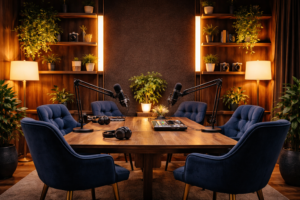
Pre-Production Planning Essentials
Before hitting record, strategy rules. Friends Studios collaborates with clients to outline episode arcs: hook in the first 30 seconds, key segments, and a strong close. Script loose talking points, not rigid lines, to keep authenticity alive.
Assess gear compatibility—your phone’s raw footage works, but DSLRs or mirrorless cameras yield pro results. Test run-throughs reveal audio pops or framing issues early. Budget time: a one-hour interview yields two hours of raw clips minimum.
Friends Studios emphasizes consent forms and release waivers for guests, protecting everyone legally. Organize files with clear naming: “Episode5_Interview_GuestName_RAW.mp4.” This foundation prevents chaos downstream.
Seamless Audio Cleanup
Raw audio often hides gems beneath noise. Friends Studios dives into waveforms first, using tools like Audacity or Adobe Audition to normalize levels to -16 LUFS for podcast standards.
Remove hums with noise reduction—sample a quiet hum section and subtract it globally. De-ess sibilants (“s” sounds) without dulling voices. Cut filler words like “um” surgically, tightening pace to 120-140 words per minute.
Layer intro music at -18dB under speech for polish. Friends Studios pro move: EQ boosts—add warmth at 200Hz, clarity at 3kHz. Export stems separately: dialogue, music, effects—for flexible remixing later.
Video Editing Mastery
Raw clips demand narrative flow. Friends Studios imports into Premiere Pro or DaVinci Resolve, syncing multicam angles via timecode or waveforms. Trim ruthlessly: cut to the meat, aiming for 20-40 minute episodes.
Add B-roll dynamically—stock footage or custom clips—to illustrate stories, preventing static talking heads. Transitions like subtle cross-dissolves maintain rhythm; avoid flashy wipes that date your work.
Color grade for consistency: match skin tones with Lumetri scopes, lifting shadows subtly. Friends Studios stabilizes shaky handheld shots using Warp Stabilizer, then adds text overlays for quotes or timestamps.
Graphics and Visual Polish
Podcasts thrive visually on platforms like YouTube or Spotify. Friends Studios designs custom thumbnails: bold host faces, episode titles in sans-serif fonts, vibrant gradients for thumb-stopping appeal.
Integrate lower thirds—name, title, social handles—fading in cleanly. Motion graphics amp intros: animated logos with whooshes synced to music peaks.
Lower thirds persist 3-5 seconds for readability. Export vertical crops for Reels/TikTok, horizontal for full episodes. Friends Studios watermarks subtly in corners for branding without distraction.
Optimizing for Distribution
Podcast gold shines brightest when discovered. Friends Studios embeds chapters via markers for easy navigation—e.g., “00:00 Intro, 02:30 Guest Story.” Generate transcripts with AI tools, then edit for accuracy to boost SEO.
Upload to hosts like Buzzsprout or Libsyn, syndicating to Apple, Spotify, and YouTube. Custom artwork: 3000x3000px square, eye-catching yet professional.
Promote with clips: 15-second hooks for socials. Friends Studios schedules posts via Buffer, tracking engagement to refine future edits.
Advanced Techniques for Pros
Elevate with multi-track audio: isolate guest, host, and ambiance for immersive mixes. Friends Studios experiments with spatial audio for headphone listeners, panning voices realistically.
Automate repetitive tasks—batch color applies or speech-to-text cuts. Use proxies for 4K editing on modest hardware, relinking for final renders.
A/B test thumbnails and titles: “Raw Truths Revealed” vs. “Guest’s Wild Story.” Analytics guide iterations.
Client Success Stories
Friends Studios turned a novice creator’s jittery interview into a 10k-subscriber hit, trimming flubs and amplifying energy. Another client’s raw corporate panel became a viral LinkedIn series, gaining 50k views through targeted graphics.
These transformations prove: raw clips are clay; skilled hands sculpt gold.
Your Next Steps
Ready to mine your footage? Friends Studios offers end-to-end services—shoots, edits, optimization. Book a consult to turn clips into gold. Practice on your own: grab free software trials and dissect pro podcasts frame-by-frame.
With these steps, your content captivates. Friends Studios is your partner in podcast excellence. Visit on this page for more info. https://friendsmediastudios.com/plans-pricing-friends-media-studios/